Text only procedure:
- Open 'Printers & Scanners' (type 'printers' in the search box, or open Settings and choose 'Bluetooth & devices' -> 'Printers & Scanners')
- Click on and REMOVE all old failed printers, e.g. 'wave', 'wave @ kaos', 'HP Color Laserjet Enterprise M553'. etc.
- Click 'Add Device'
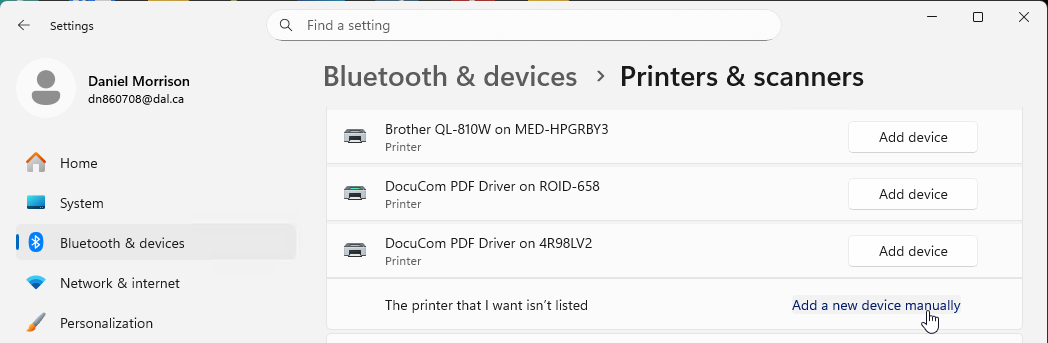
- WAIT until it offers a text link 'Add a new device manually'; click on that
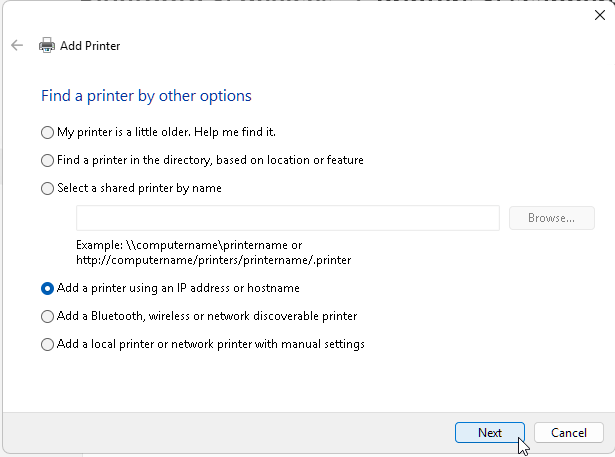
- Click on 'Add a printer using an IP address or hostname', click Next
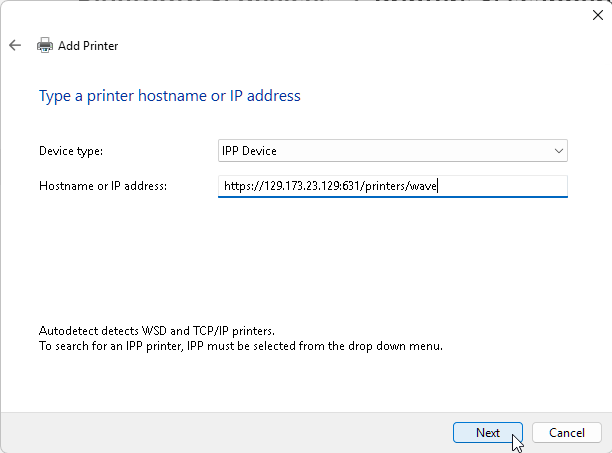
- Leave the Device Type on 'IPP Device', and in Hostname or IP address type:
https://beacon.phys.ocean.dal.ca:631/printers/wave
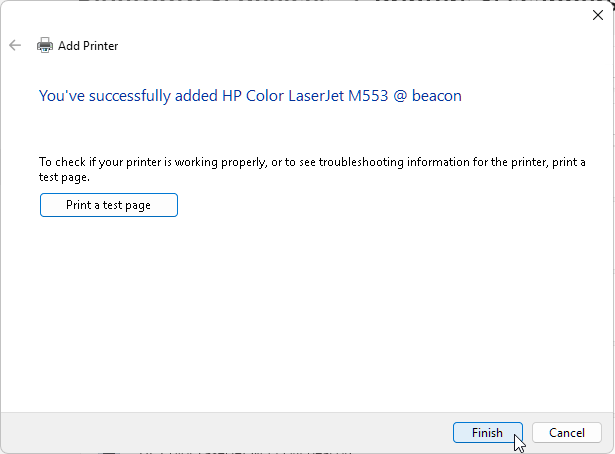
- Click next, it shows a green bar 'Contacting Printer', and very quickly:
"You've successfully add HP Color Laserjet M553 @ beacon" [Print a test page]
- Click Finish
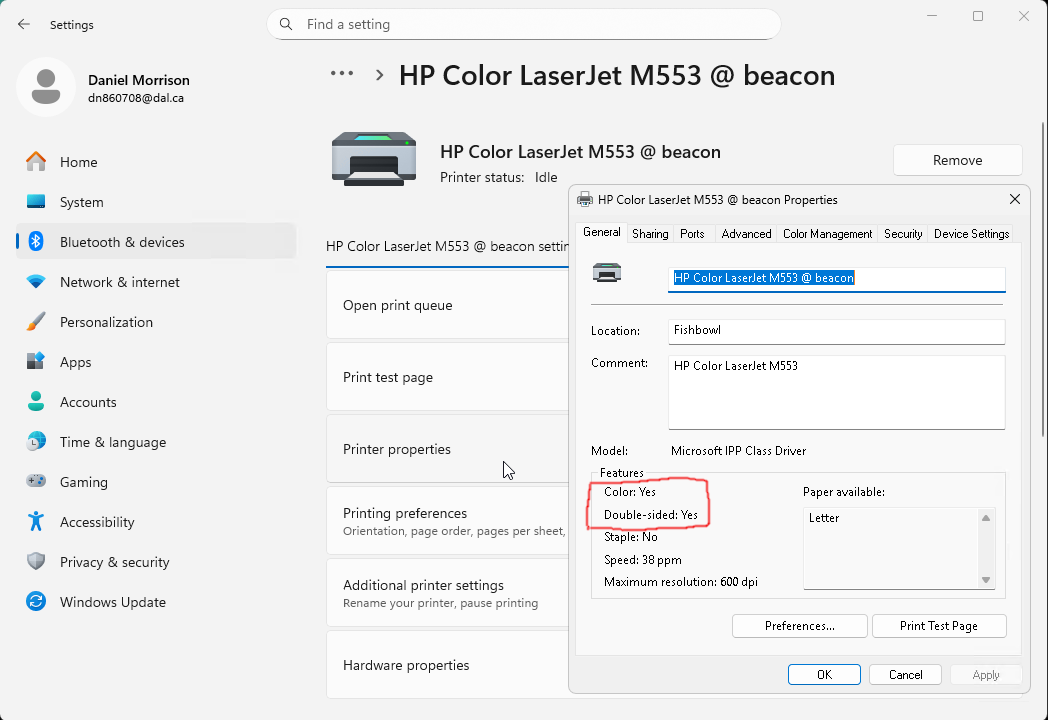
NOTE: it can take several seconds to a minute for the new 'HP Color Laser M553 @ beacon' to appear in the list of printers. If you click it, then choose 'Printer properties', it should show this:
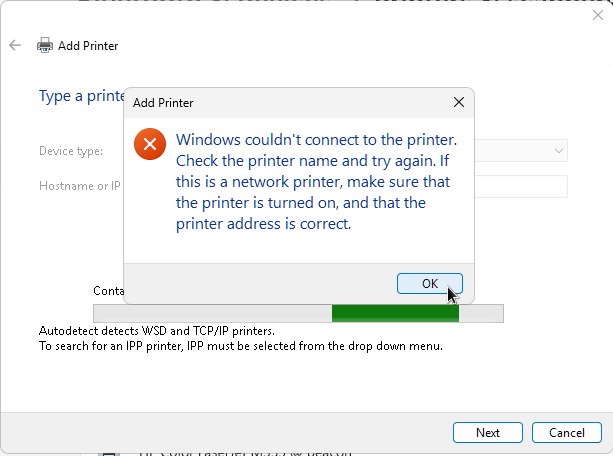
If instead you get a red (X) Windows couldn't connect to the printer, the #1 reason I experienced this was trying to add the printer twice. Must remove the old printer first.
Exact same, but with images:
- Open 'Printers & Scanners'
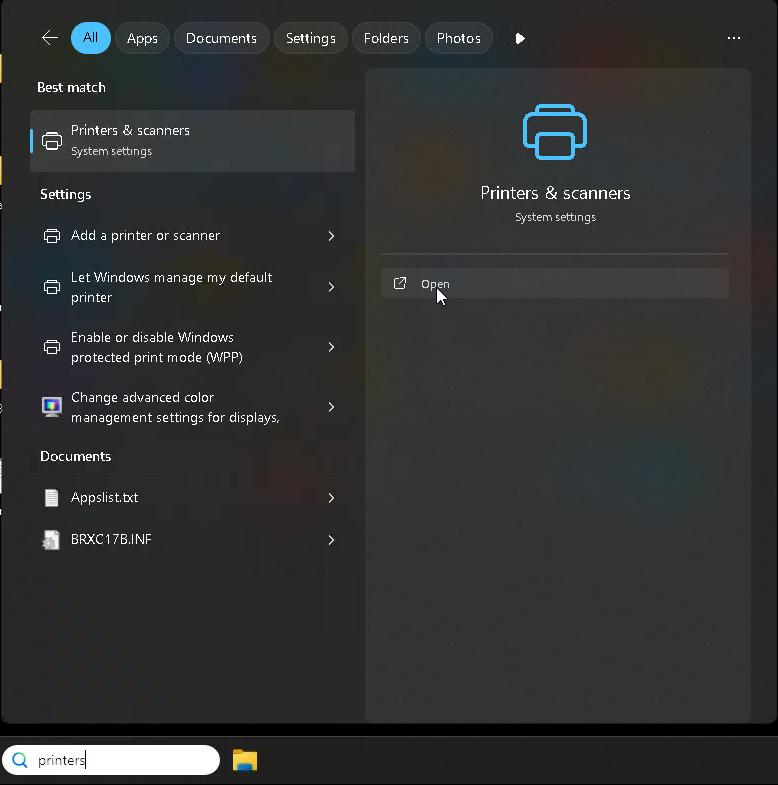
- Click on and REMOVE all old printers
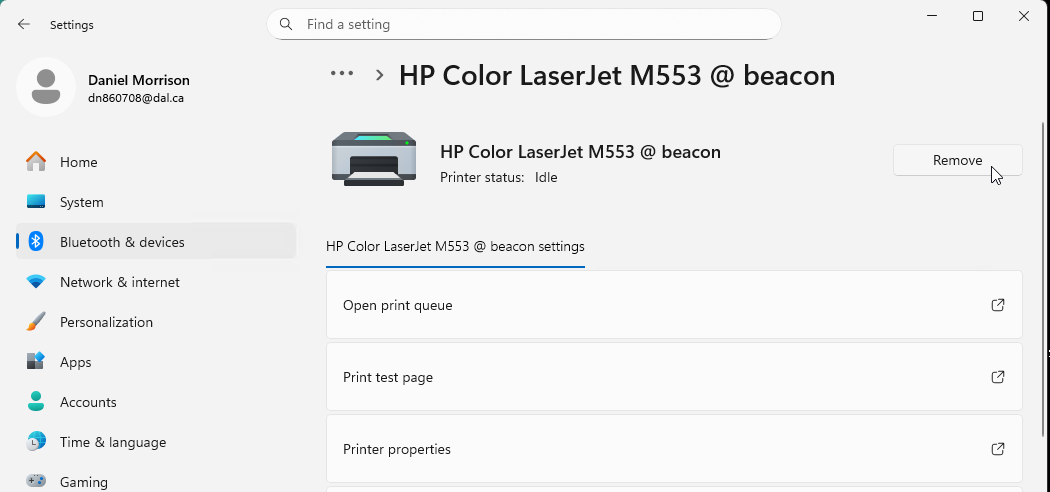
- Click 'Add Device'
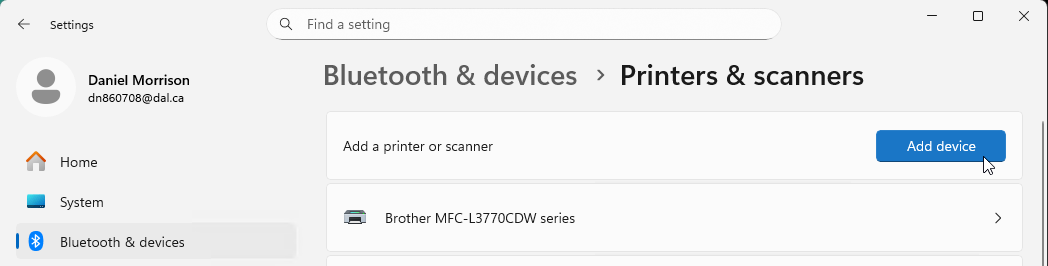
- WAIT until it offers a text link 'Add a new device manually'; click on that
- Click on 'Add a printer using an IP address or hostname', click Next
- Leave the Device Type on 'IPP Device', and in Hostname or IP address type:
https://beacon.phys.ocean.dal.ca:631/printers/wave
- Click next, it shows a green bar 'Contacting Printer', and very quickly:
"You've successfully add HP Color Laserjet M553 @ beacon" [Print a test page]
- Click Finish
NOTE: it can take several seconds to a minute for the new 'HP Color Laser M553 @ beacon' to appear in the list of printers. If you click it, then choose 'Printer properties', it should show this:
If instead you get a red (X) Windows couldn't connect to the printer, the #1 reason I experienced this was trying to add the printer twice. Must remove the old printer first.